WhatsApp lead management
Capture details via automation flows, tag leads by budget and intent, auto-assign to the right sales rep, and track follow-up status — all without a separate tool.
Lead bot →
WhatsApp CRM
Stop managing WhatsApp from one phone. Autochatix gives your team a shared inbox, contact profiles, lead tags, automation flows, CRM sync, and live agent handoff — all on the same number.
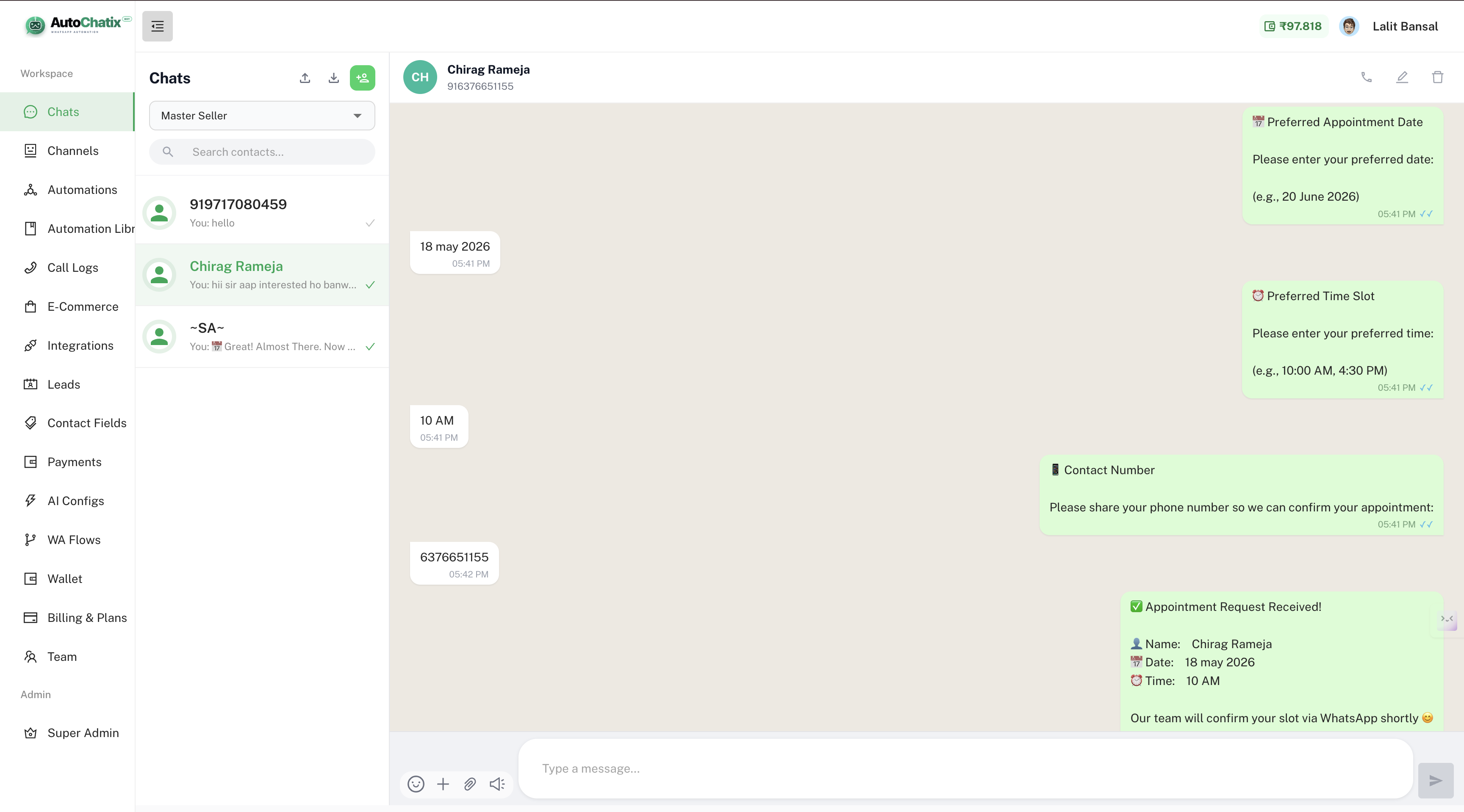
Live product screenshot
Every WhatsApp conversation, every customer, every agent — all in one organized workspace.
CRM capabilities
Multiple agents manage conversations from the same WhatsApp number simultaneously. No missed chats, no duplicate replies, no "who handled this?" confusion.
Tag contacts with custom attributes — "Hot Lead", "Enterprise", "Mumbai", "Interested in Pro Plan". Use tags to filter contacts for targeted broadcasts later.
Each contact has a full profile: name, phone, custom fields collected during conversations, conversation history, and tags — all in one place.
Set up automatic follow-up messages for leads who didn't reply, prospects who showed interest, and customers due for renewal — without manual tracking.
Push captured lead data to HubSpot, Zoho, or any CRM via the API Request node. Contacts are created and updated automatically — no copy-paste, no missed leads.
Bot qualifies the lead, collects details, then hands off to a human agent with full context. Agents see the complete conversation history before they type a word.
CRM workflows
Capture details via automation flows, tag leads by budget and intent, auto-assign to the right sales rep, and track follow-up status — all without a separate tool.
Lead bot →Track warm leads, automate reminders, send Razorpay payment links, and see the full conversation history before every follow-up call or message.
See plans →Route support requests by topic, collect issue details through structured bot flows, and let agents resolve cases with complete context — reducing resolution time significantly.
Support flows →Give every team member access to the same WhatsApp number. Assign conversations, add internal notes, and collaborate on customer responses — all from one dashboard.
Set up inbox →FAQ
A WhatsApp CRM helps businesses manage all WhatsApp conversations in one shared team workspace. It includes a shared inbox, contact profiles, lead tags, automation flows, broadcast campaigns, and CRM sync — replacing the basic WhatsApp Business app for teams.
Yes. With the WhatsApp Business API and Autochatix, your entire team can manage conversations from the same number simultaneously. Starter plan includes 2 users, Growth 3 users, Pro 5 users — with add-on options for more.
Yes. The API Request node can push lead data, contact details, and conversation attributes to HubSpot, Zoho CRM, or any CRM with a REST API — automatically whenever a customer completes a flow step.
The WhatsApp Business app is for one person on one device. Autochatix uses the WhatsApp Business API to give teams shared access, automation flows, contact management, campaigns, payment collection, and integrations — none of which are available in the basic app.
Yes. Set contact attributes like city, budget, interest, or lead stage during automation flows. Later, filter contacts by any tag and send a targeted broadcast campaign to just that segment.
When a customer asks something outside the bot's scope or requests a human, the conversation moves to the team inbox with full history. The agent sees every message the bot sent and every reply the customer gave — no repetition required.
Start free — no credit card. Add your whole team, connect integrations, and have a working inbox in minutes.